


Nex Playground
Nex Playground
Get the award-winning active play system that gets families moving.
BUNDLE & SAVE
Couldn't load pickup availability
-
Ordered
- - -
Order Ready
- - -
Delivered

Nex Playground
What is a Play Pass?
What is a Play Pass?
Play Pass is your golden ticket to year‑round active family fun. Get unlimited access to the complete catalog and enjoy new games every month.
Product Specs
Product Specs
- Wide-angle camera
- Nex AI-powered motion engine
- Arm Cortex A-Series SoC
- PlayOS
- HDMI TV connection (cable included)
- WiFi
- Bluetooth 5.2
- Eco friendly packaging


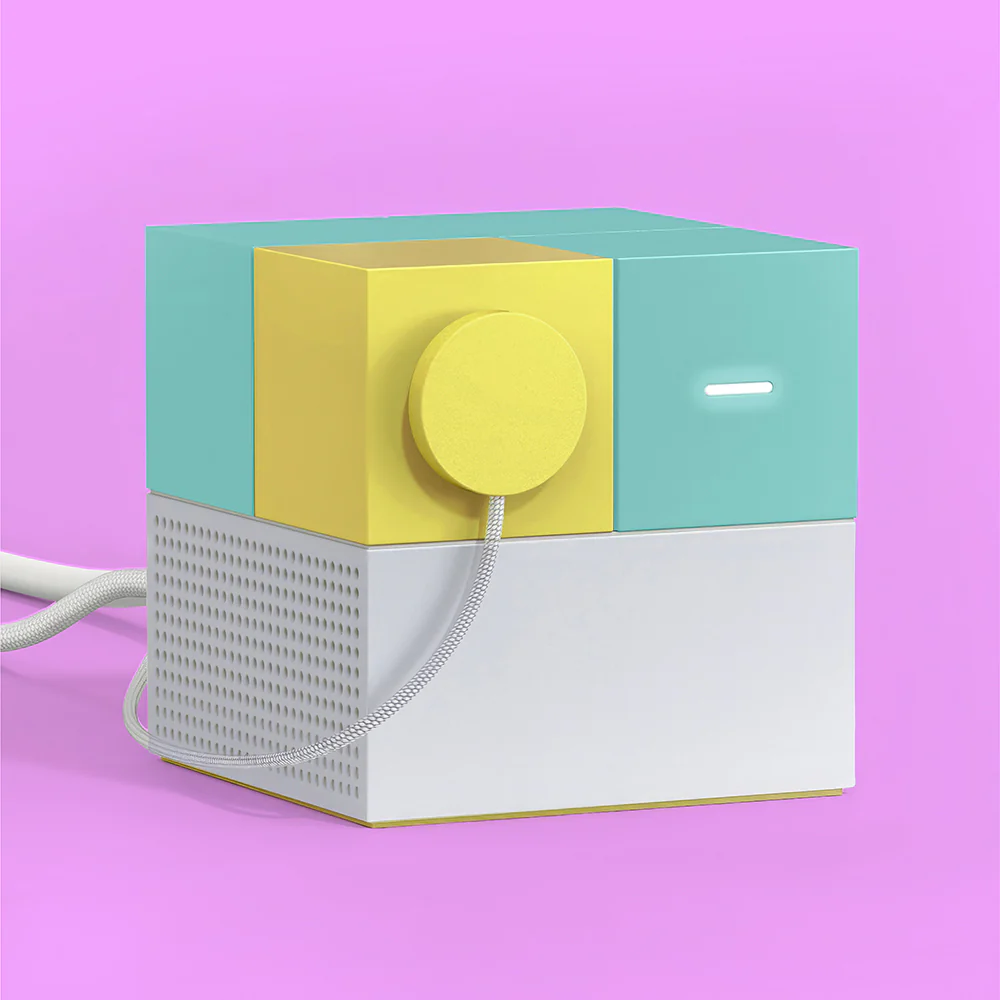
What’s included
Everything you need to get moving in minutes.
-

Nex Playground
-

Magnetic Privacy Cover
-

Remote Control
-

Power Supply and HDMI Cable


-

5-Game Starter Pack


How It Works
Plug Into Your TV
Connect Nex Playground via HDMI.
Stand Back & Play
Built-in camera tracks body movement—no sensors or wearables.
Choose a Game
Jump, dodge, dance, and move through interactive games for all skill levels.

Designed for Families
Kid-friendly & parent-approved
No in-game ads
Privacy-first design with on-device processing
Encourages healthy movement and screen-positive play
Why Nex Playground

Games & Experiences
Get ready to crush sports battles, adventures, dance-offs, workouts and more.


We team up with top family brands to turn your favorite stories into full-body adventures.




Playground Chatter
Families everywhere are loving it.
See what people are saying about Nex Playground, the award-winning, good-for-you game system.
-

Kourtney -Mother
“Playground helped her gain confidence and feel happy again. That means the world to us.”
-

Brittni G Emily
“Being able to learn through play, and build confidence, is everything.
-

Nikki
“Nex Playground is very intuitive—it recognizes different movements and adapts to each child.”
-

Atlanna
“What matters most to me is building a bond while staying healthy and active together.”
-

Christine
“We can grow with the product, and it’s brought our whole family together.”


About Us
Our Mission
We help families connect and get moving together.
Frequently Asked Questions
How does it track my movements?
How does it track my movements?
Nex Playground uses proprietary computer vision and AI system to track 18-nodes on your body in real-time using just the built-in camera.
It also tracks multiple players concurrently for up to 4 players depending on the game.
These algorithms run on the device directly and do NOT store or process any video in the cloud.
That means you can play all the games offline once they are downloaded.
How much space do I need?
How much space do I need?
We recommend having a minimum area of about 6 ft x 6 ft of play space.
How do I setup Playground for the first time?
How do I setup Playground for the first time?
What you need:
- Your Wi-Fi network name and password
- A smartphone to scan QR code on TV screen
- An email address to create an account
To setup Nex Playground for the first time, follow these simple steps:
- Connect the provided HDMI cable into the back of Nex Playground and into an HDMI port of your TV.
- Use your TV remote to switch the input source to the right HDMI port, e.g. HDMI 1 or HDMI 2.
- Connect the provided USB-C power cable into the USB-C port located at the back of Nex Playground.
- Be sure to use the provided power cable, as using other cables may damage the unit.
- Connect the power cable into a power outlet. If possible, please avoid extensions/power strips.
- Put in the included batteries into Nex Playground remote control.
- Follow the on-screen prompts to complete the first time setup.
- During the account creation process, you will have the option to buy or enter your code for a Play Pass to unlock additional games.
What games are included?
What games are included?
Each Nex Playground comes with a Starter Pack of 5 games included: Fruit Ninja, Whack-a-Mole Deluxe, Party Fowl, Go Keeper and Starri.
If you’d like access to the full catalog as well as new content dropping every month, consider adding a “Play Pass”. Play Pass is an optional purchase.
What is included in the box?
What is included in the box?
- Nex Playground with magnetic camera privacy cover
- A HDMI cable (~5 feet long)
- A power supply unit (~5 feet long)
- NEW! A D-pad remote control with 2 AAA batteries
- NEW! More Compact Packaging, weighing 928g.
I am not seeing the new games on my Nex Playground
I am not seeing the new games on my Nex Playground
- From the home screen, press the Up button on your remote a couple of times to open the top menu.
- If Playground is not connected to the internet, an exclamation mark icon and Not Connected to the Internet message will appear below the Wi-Fi option.
- Press the Wi-Fi menu option to select the Wi-Fi network you'd like to join.
- Once connected, the new games will start to download. Please allow at least 10 to 15 min for the downloads to complete.
- You'll see the new games in their respective row! Make sure to select the gift tile to unlock the new game, just like a unwrapping a gift.
How does it work with my TV setup (fireplace, console, etc.)?
How does it work with my TV setup (fireplace, console, etc.)?
For optimal performance, please place Playground right in front or below your TV and make sure that it is centered with your TV.
We recommend placing the Playground close to the edge so that the camera can see as much as possible, as the device’s camera should be able to see your body. The current recommended device height is between 15-60 inches.
You can also email us a photo of your play space and our support team can advise whether it is suitable.
Is the content safe for kids?
Is the content safe for kids?
Yes, Nex Playground is designed for kids and families. Content is family friendly and encourages active, physical movement for all ages.
All of the games have no ads, no violence, no micro-transactions and no chat features. They can be played completely offline once downloaded.
Some of the games are more physically demanding so kids under 6 may have difficulty accomplishing the physical challenges.
What age is this good for?
What age is this good for?
We recommend ages 5 and up. For 3 and 4 years old, they will be able to enjoy a bigger variety of the games if a grown-up or older sibling play with them.
Our preschool catalog is growing, we now have "Peppa Pig: Jump & Giggle", "Hungry Hungry Hippos Move n' Munch", "Elmo Says" , "Elmo & Abby's Magical Letter Hunt" and "Move & Groove with Grover".
What is the remote for? Do I need more than one?
What is the remote for? Do I need more than one?
The remote controller is for navigation only as the games do not require it for gameplay. Thus, all of the current multiplayer games do not require multiple controllers to play!